A clear transaction history
Search and filter transactions by security, operation, currency, tag, or period. Review quantities, prices, fees, and notes.
INTELINVEST ADVISOR
Manage client portfolios, analyze assets and performance, and plan rebalancing in one advisory workspace.
From the client overview to every individual position.
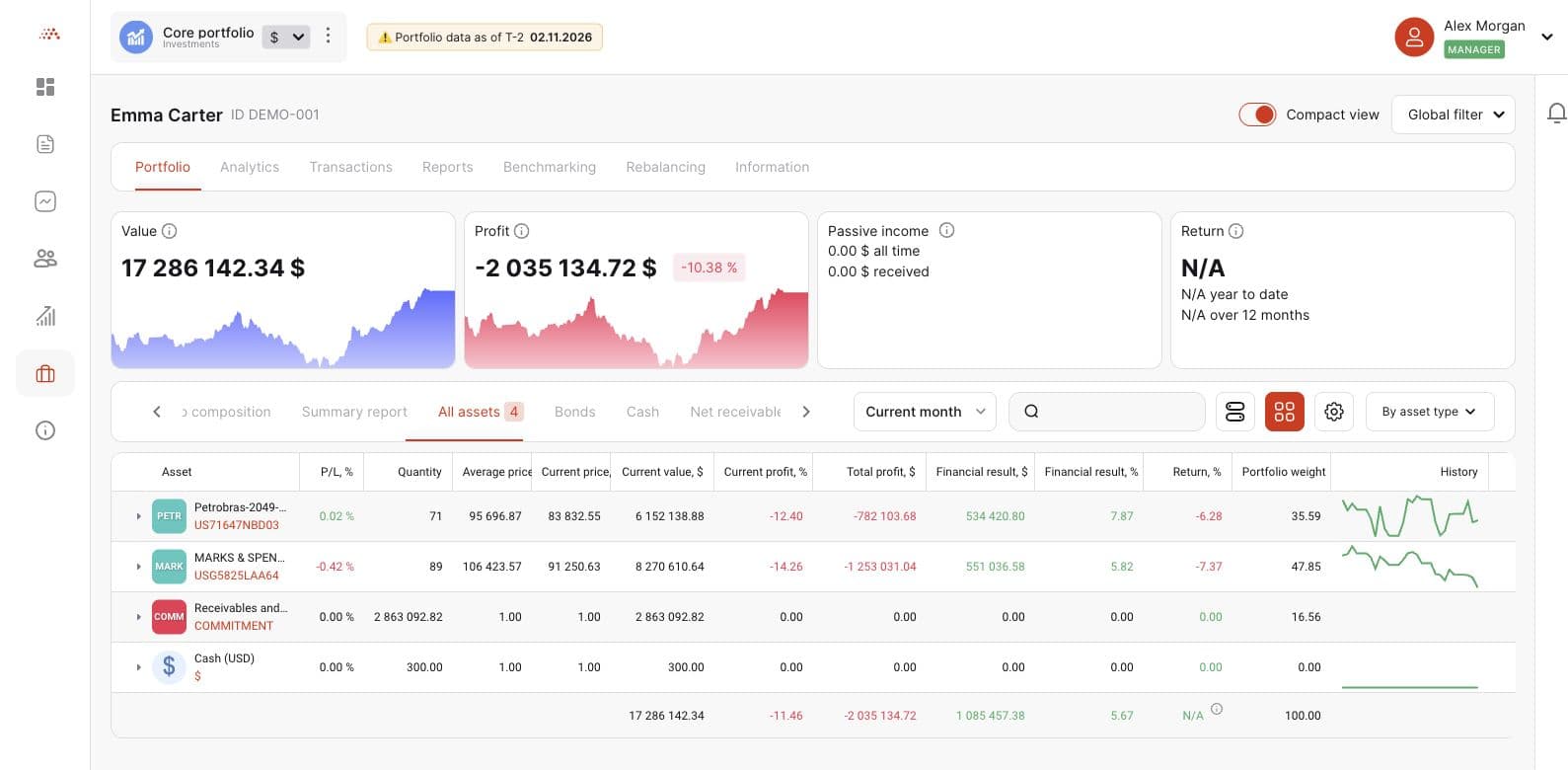
01 / YOUR CLIENT WORKSPACE
Keep the full picture of your client relationships close at hand. Compare portfolios, review key metrics, and find the clients you want to focus on.
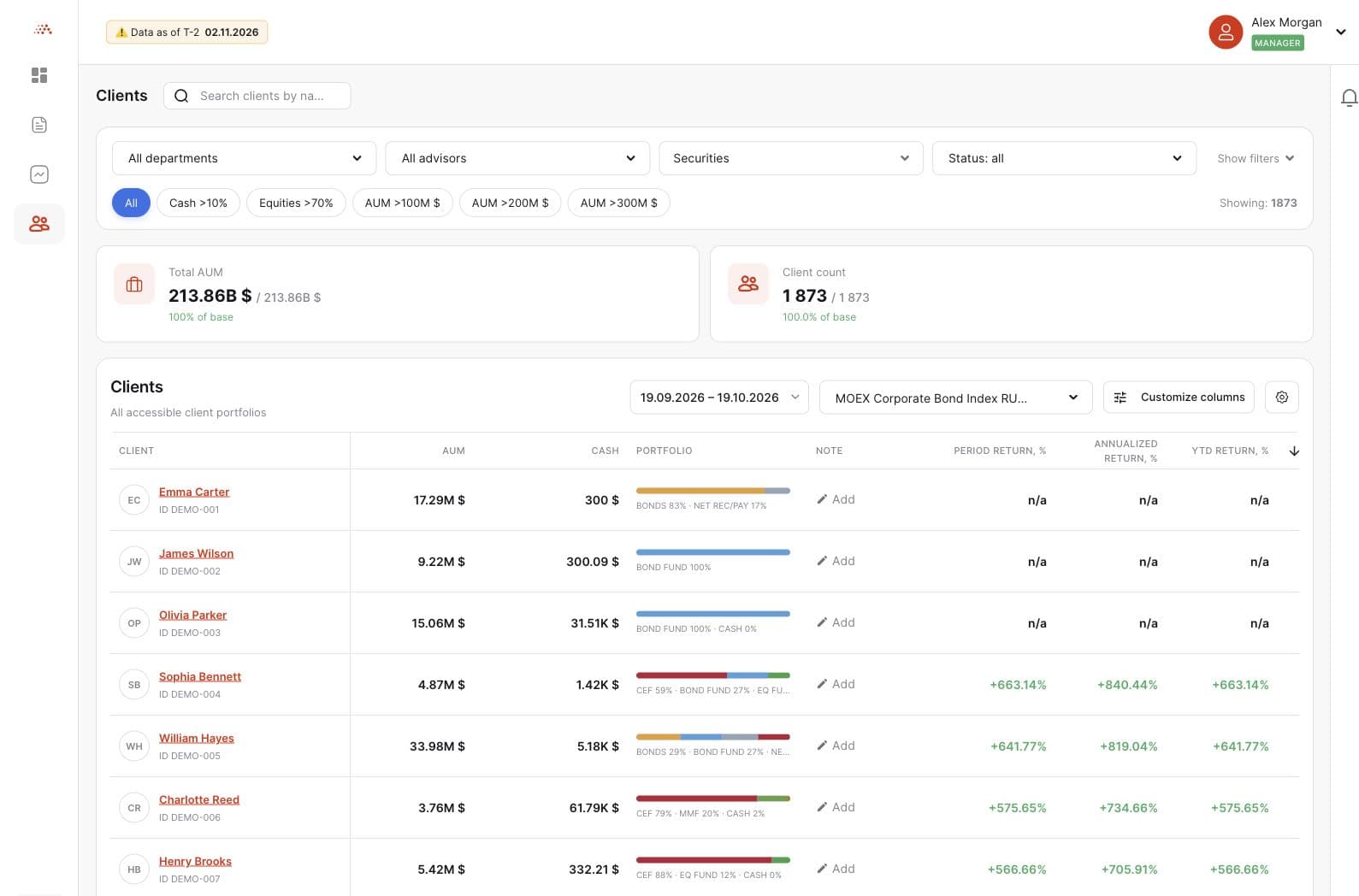
02 / CLIENT-LEVEL INSIGHT
Go beyond a single headline number. Explore positions, allocation, and investment results through connected analytical views.
Bring market value, profit and loss, portfolio weights, and asset details together in a clear client portfolio view.
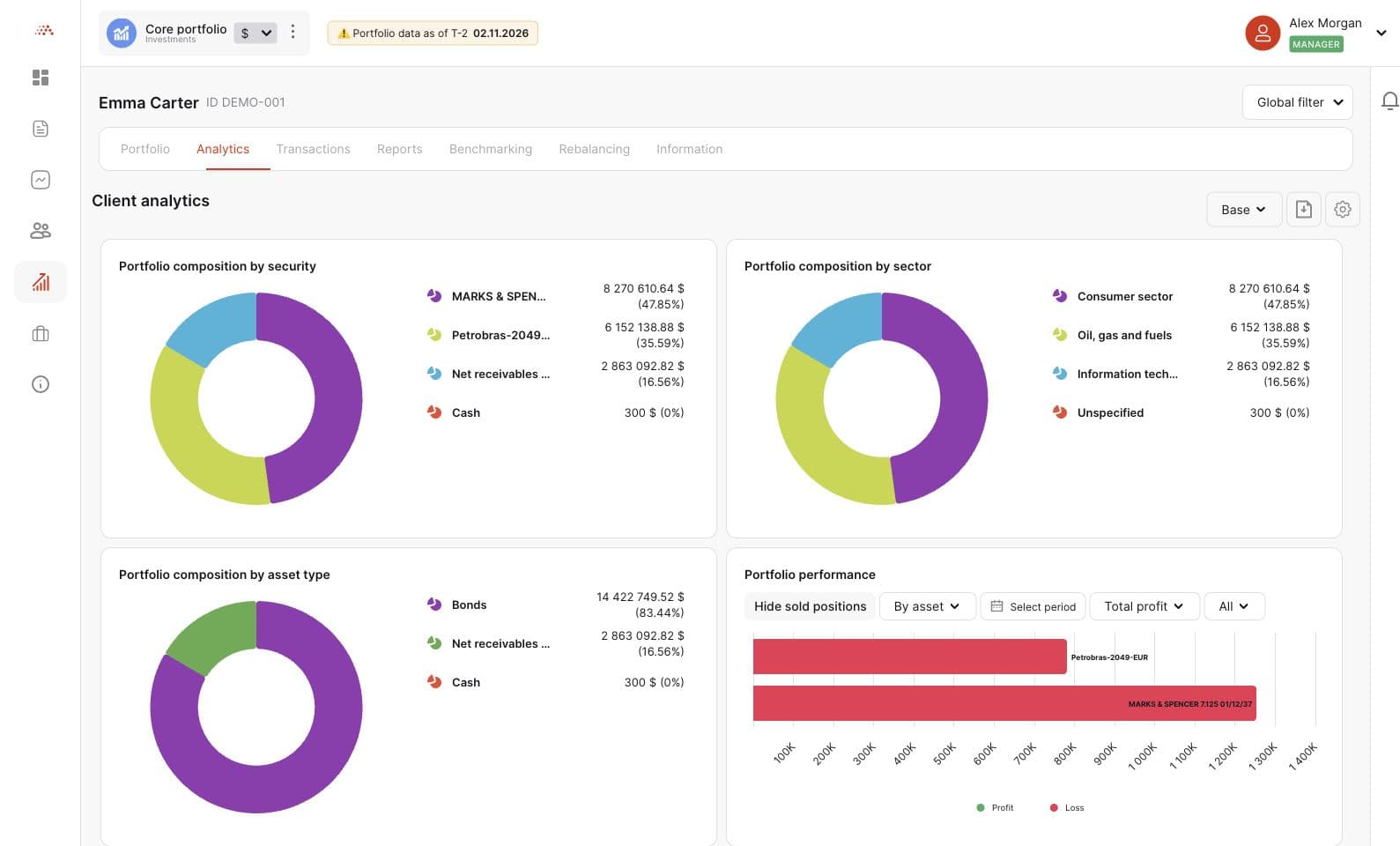
Understand the mix of assets and the contribution of each part of the portfolio. Explore by asset class, sector, currency, and reporting date.
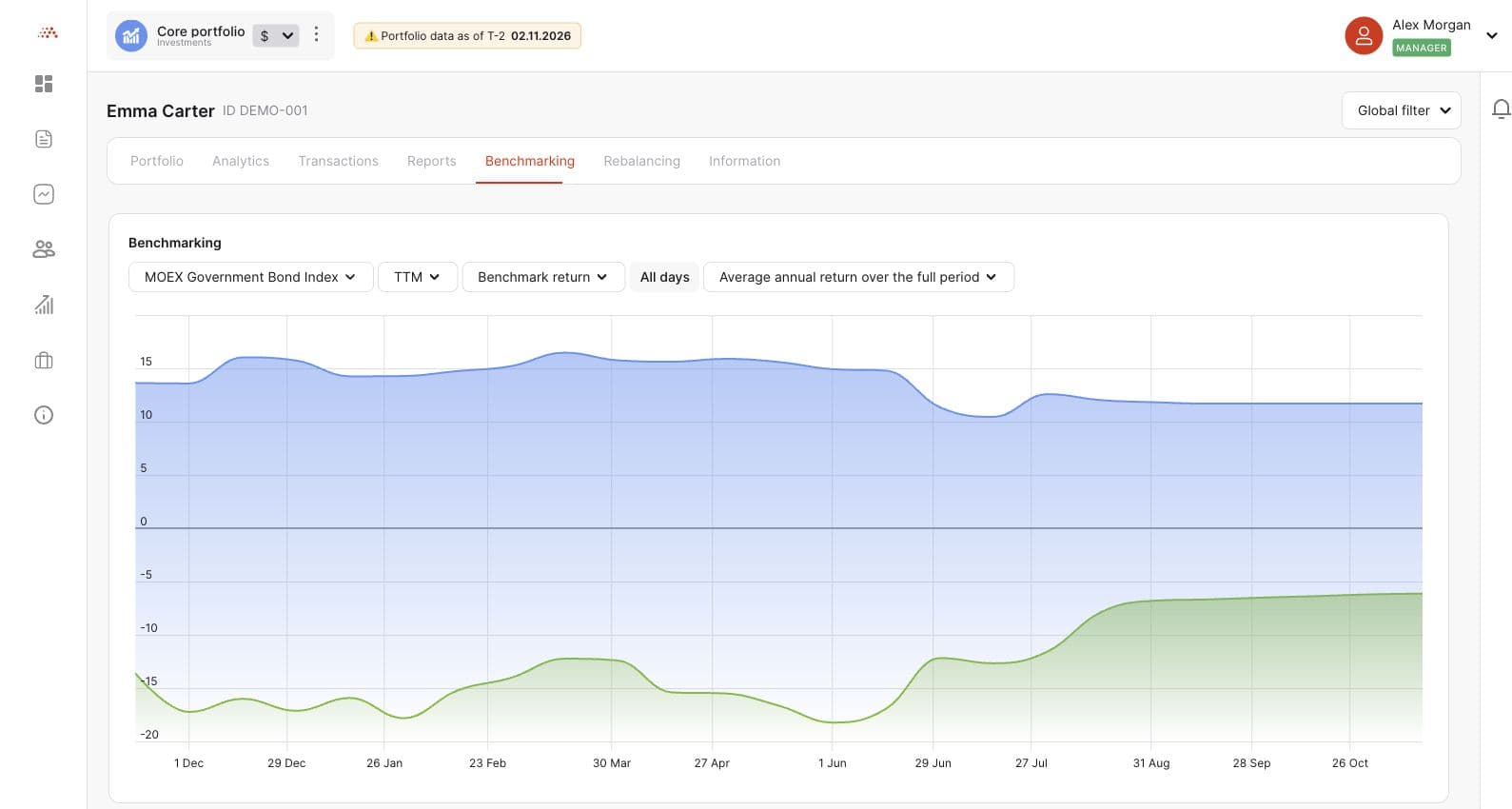
Compare portfolio returns with a selected benchmark. Review results over different periods and connect performance with portfolio activity.
03 / FROM INSIGHT TO A PLAN
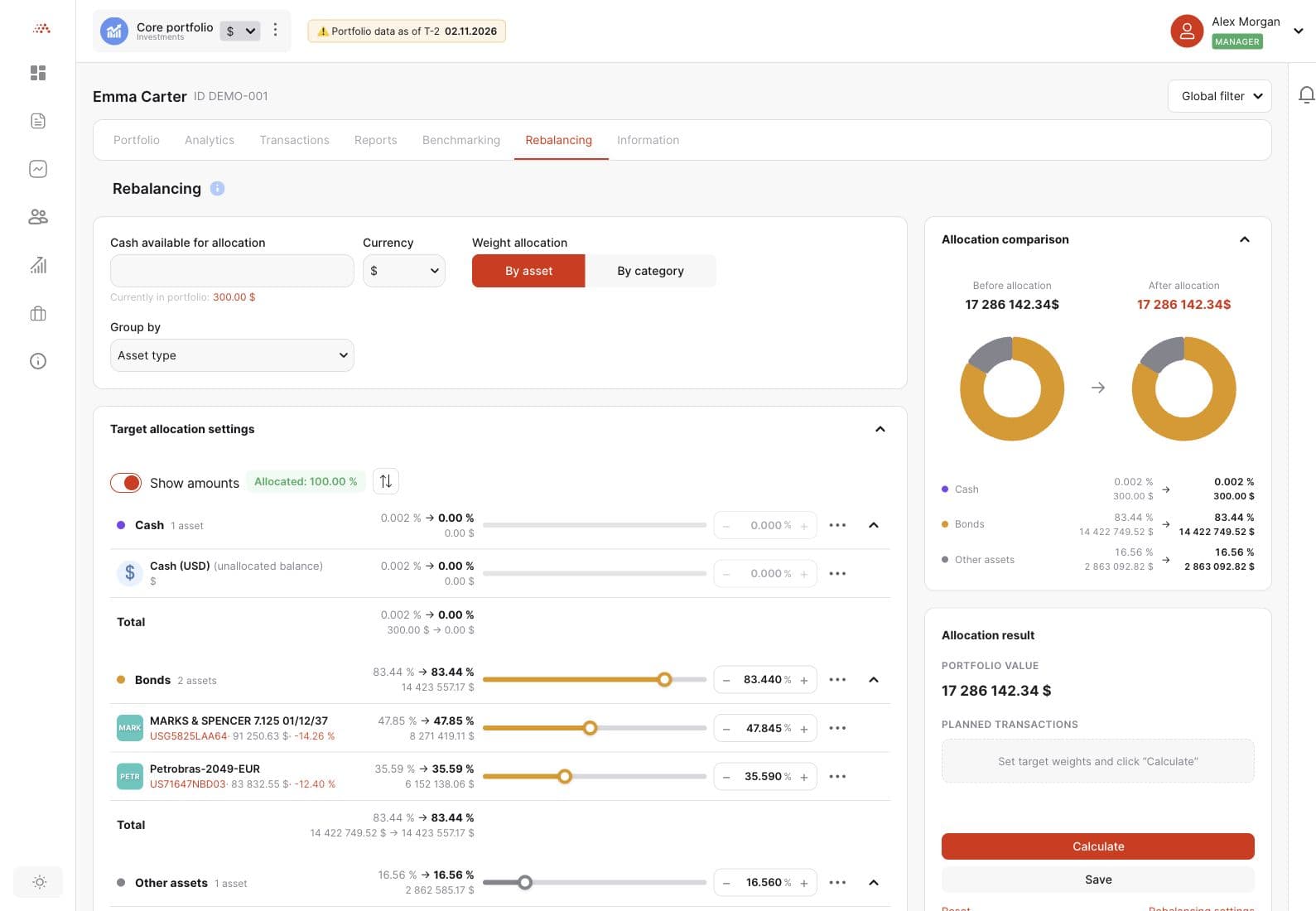
Set target weights and explore how the portfolio could change. Compare current and planned allocations before reviewing the changes needed to get there.
04 / THE COMPLETE INVESTMENT PICTURE
Bring portfolio activity and cash income into the conversation. Explore the history behind the numbers and the events ahead.
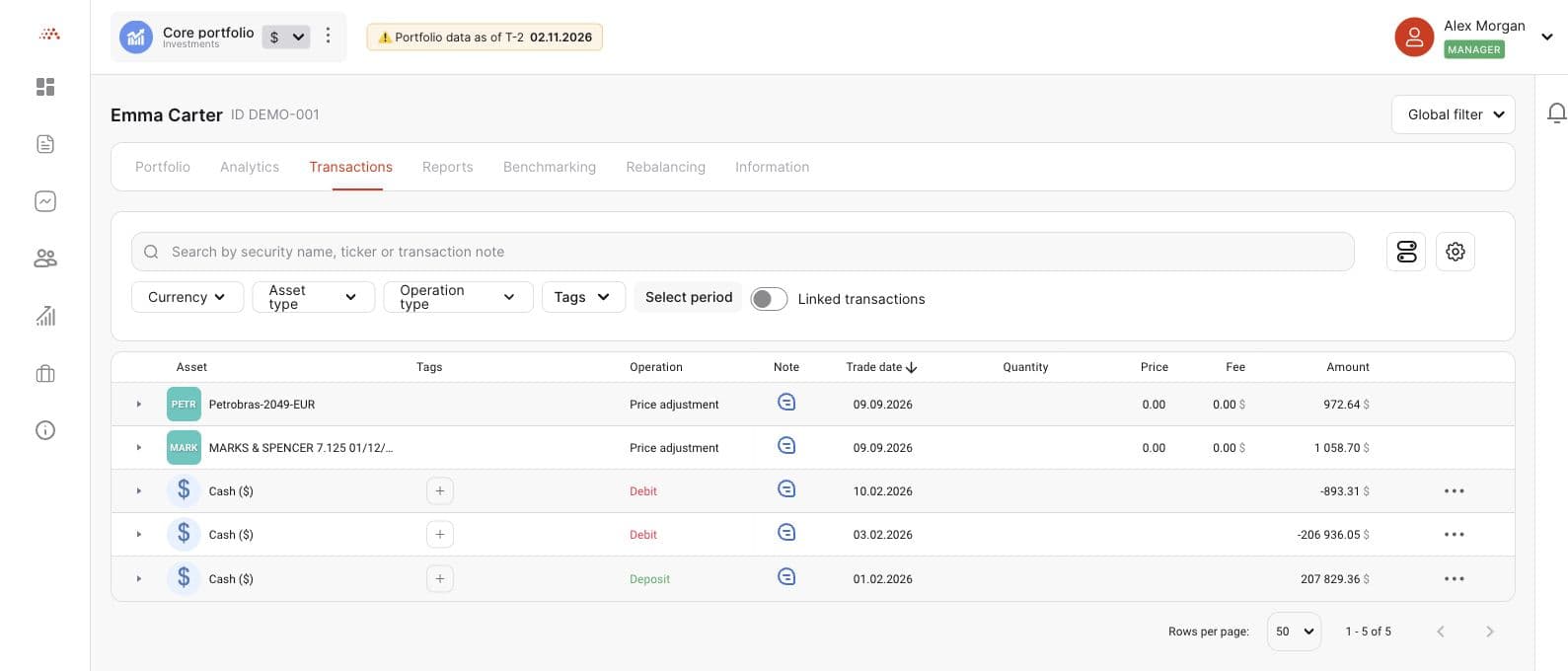
Search and filter transactions by security, operation, currency, tag, or period. Review quantities, prices, fees, and notes.
Review dividends, coupons, redemptions, and other payment events alongside portfolio activity.
Explore analytical reports on value, profit, returns, diversification, security contribution, and cash flows.
A CLEARER VIEW STARTS HERE
Explore how IntelInvest Advisor can support the way you work with client portfolios.
Book a demo